
Introduction: The Power Duo Inside Every Computer
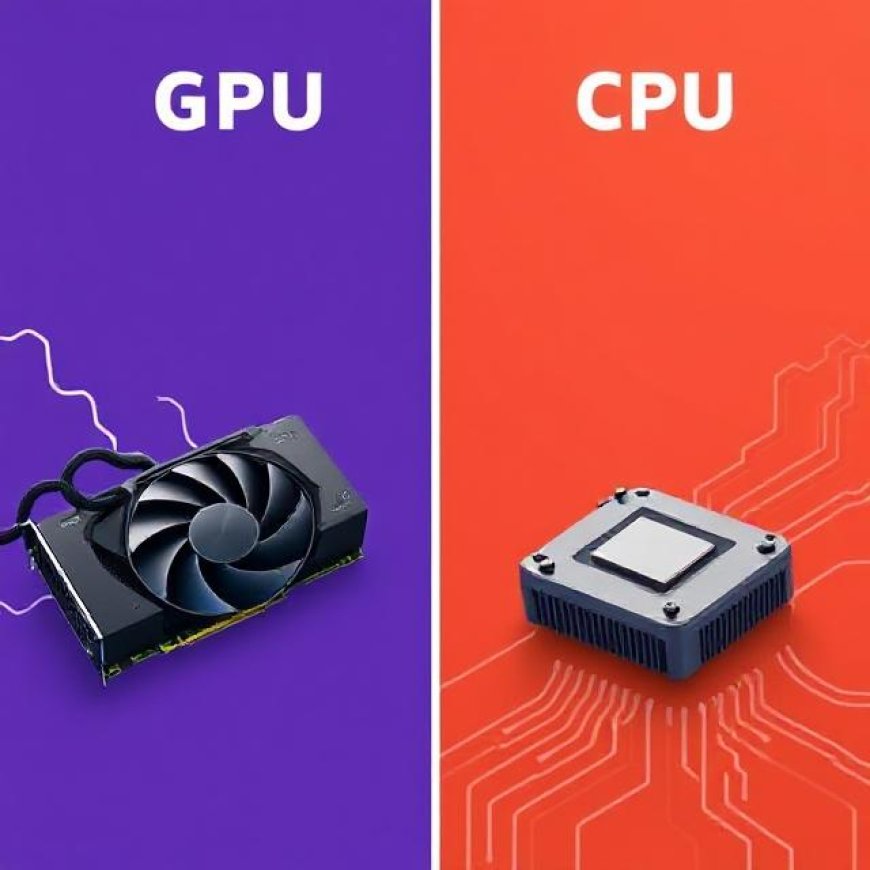
In modern computing, two critical components drive performance: the CPU (Central Processing Unit) and the GPU (Graphics Processing Unit). While both are essential to a computer's operation, they serve different roles, excel in distinct tasks, and work together to deliver the seamless digital experiences we expect today.
Whether you’re a gamer, a data scientist, or a casual user, understanding the key differences between CPU and GPU will help you make better decisions when buying, upgrading, or optimizing your system.
1. What Is a CPU?
The CPU is often referred to as the brain of the computer. It handles general-purpose processing, manages system operations, and executes commands from software applications.
Core functions of a CPU:
- Logic and arithmetic processing
- Executing instructions in software programs
- Managing tasks via threads and cores
- Operating the system's control logic
Modern CPUs contain multiple cores that allow them to multitask efficiently, but they still process tasks sequentially or in small parallel batches.
2. What Is a GPU?
Originally designed to render graphics, the GPU has evolved into a high-performance parallel processor used in a wide range of tasks beyond graphics.
Key characteristics of a GPU:
- Composed of hundreds or thousands of small cores
- Optimized for parallel processing
- Designed to handle simultaneous mathematical computations
- Ideal for tasks like rendering, machine learning, and video processing
GPUs are now crucial in AI, gaming, scientific simulations, and blockchain mining due to their raw parallel computation capabilities.
3. Architecture Differences
A CPU has a few powerful cores optimized for general-purpose processing. Each core is complex and can handle a wide variety of tasks.
A GPU, on the other hand, has a large number of simpler, specialized cores designed to execute many operations simultaneously.
Analogy:
- CPU = A few strong workers doing different tasks carefully.
- GPU = Hundreds of workers doing the same task very quickly in parallel.
This fundamental design difference defines their respective strengths and use cases.
4. Tasks Best Handled by CPUs
Despite the rise of GPU computing, CPUs remain irreplaceable for tasks requiring:
- Complex logic operations
- Branch-heavy code execution
- Operating system control
- Single-threaded performance
- Running legacy software
In gaming, for instance, the CPU manages game logic, physics, and AI—essential components that GPUs cannot handle on their own.
5. Tasks Best Handled by GPUs
GPUs shine in scenarios involving repetitive, large-scale data operations:
- 3D rendering and shading
- Machine learning model training
- Video encoding and decoding
- Scientific computing
- Blockchain hashing
For deep learning, frameworks like TensorFlow and PyTorch rely on GPUs to train neural networks at speeds CPUs cannot match.
6. GPU Acceleration and the Rise of GPGPU
General-purpose computing on graphics processing units (GPGPU) has transformed the GPU from a graphics specialist into a high-performance co-processor.
Software libraries like CUDA (by NVIDIA) and OpenCL allow developers to tap into GPU parallelism for tasks in:
- Finance (risk modeling)
- Medicine (genome analysis)
- AI (natural language processing)
- Engineering (fluid dynamics simulations)
This shift means GPUs are no longer limited to gaming—they're now used to accelerate workloads across industries.
7. How They Work Together in Modern Systems
In a well-balanced system:
- The CPU handles instructions, logic, and background tasks.
- The GPU handles high-throughput workloads like rendering frames or performing matrix multiplications.
Together, they enable:
- Fast rendering in games
- Smooth video playback
- Quick AI inference
- Responsive multitasking
Some systems even use APUs (Accelerated Processing Units), which combine CPU and GPU cores on a single chip, providing decent performance in smaller or budget systems.
8. CPU Bottlenecks and GPU Dependency
A CPU bottleneck occurs when the processor cannot keep up with the GPU's frame processing power. This can happen if:
- The CPU has fewer cores or threads.
- The application is CPU-intensive.
- The GPU is overpowered compared to the CPU.
Balancing both components is crucial—overinvesting in a high-end GPU without a capable CPU leads to underutilization and performance loss.
9. GPU Memory vs. CPU RAM
GPUs have their own dedicated memory, known as VRAM (Video RAM), which stores textures, shaders, and frame buffers.
CPUs, on the other hand, rely on system RAM, which is more flexible but slower.
- More VRAM helps render games at higher resolutions.
- More system RAM helps run larger programs and multitask.
Both types of memory are essential, but serve different roles in computing performance.
10. Future of CPU and GPU Technologies
CPUs are adding more cores and improving per-core performance. GPUs are becoming more programmable and general-purpose.
Trends to watch:
- AI-specific GPUs from NVIDIA and AMD
- Integrated graphics becoming more powerful in laptops
- Chiplet architectures allowing scalable performance
- Unified memory systems to reduce latency
As the lines blur between CPU and GPU tasks, developers and hardware manufacturers are exploring heterogeneous computing—systems where multiple processor types work seamlessly together.
Conclusion: CPU vs. GPU – Not a Competition, but a Collaboration
The CPU and GPU are not rivals—they are complementary components in a powerful computing ecosystem.
- If you're gaming, both are important.
- If you're editing video, encoding media, or training AI models, you’ll rely more on the GPU.
- If you’re browsing, typing, or running business apps, the CPU does most of the work.
Understanding their strengths allows you to build a system that fits your needs and avoid common performance pitfalls. As computing continues to evolve, the synergy between CPU and GPU will remain at the heart of digital innovation.